
Segment #1044
I checked the video's recommendations against current IRS, FTC, Google and other reliable guidance. The overall message is substantially sound. The presentation is deliberately dramatic—“lobotomy,” “snitch,” “trap,” etc.—but several of the underlying privacy risks are quite real. (BitChute) https://www.youtube.com/watch?v=hoDTP0SjIKk
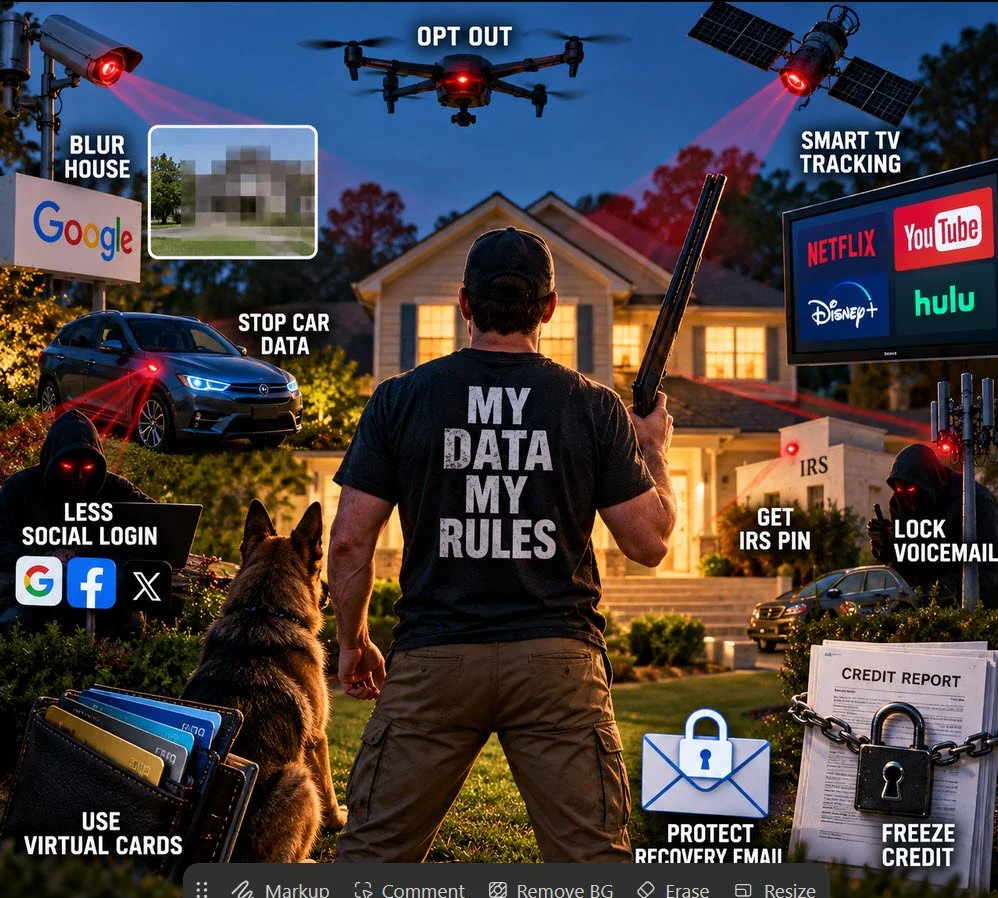
My assessment of the 10 recommendations
Video recommendationAssessmentComment
1. Turn off Smart-TV trackingWorth doingSmart TVs can use Automatic Content Recognition (ACR) to identify what you're watching, including content coming from connected devices. Most major TV platforms provide controls to limit it. (Consumer Reports)
2. Blur your house on Google Street ViewOptionalGoogle really does provide this option. But the video oversells the security benefit somewhat: your address, satellite imagery and property information can still exist elsewhere. More importantly, Google says the Street View blur is permanent, so I'd think before doing this. (Google Help)
3. Stop your car from sharing dataImportantThis is one of the video's strongest points. Connected vehicles can collect location and driving-behavior information. In January 2026 the FTC finalized an order against GM/OnStar over allegations involving collection and sale of precise geolocation and driving-behavior data without adequate informed consent. (Federal Trade Commission)
4. Get an IRS Identity Protection PINExcellent adviceThis is probably the single recommendation I'd emphasize most. Anyone with an SSN or ITIN who can verify their identity can enroll. It prevents someone from successfully filing a federal tax return using your SSN without the six-digit PIN. (IRS)
5. Reduce “Sign in with Google/Facebook/etc.”Reasonable, but overstatedThere's a tradeoff. Single sign-on isn't inherently unsafe and can actually eliminate weak/reused passwords. The bigg er issue is concentrating access in one account. Protecting the primary account with strong MFA/passkeys matters more than simply eliminating SSO.
6. Use virtual credit-card numbersUsefulParticularly good for unfamiliar merchants, subscriptions and services you're not sure you'll keep. A compromised merchant doesn't necessarily expose your permanent card number. I wouldn't consider it essential for every purchase.
7. Protect your recovery emailVery importantAbsolutely. Your recovery email can effectively become a master key to other accounts. It deserves a unique password and strong MFA/passkey protection.
8. Opt out of data brokersWorth doing, with limitationsIt reduces easily accessible personal information, but it isn't a one-time permanent fix. Information can reappear, and no opt-out removes you from every database.
9. Put a PIN/password on voicemailSensibleLow effort and worthwhile, particularly if your carrier allows voicemail access from another phone. But protecting your cellular account itself against account takeover/SIM swapping is more important.
10. Freeze your creditExcellent adviceThis is the other standout recommendation. The FTC explicitly recommends credit freezes as protection against fraudulent new accounts. They're free, don't hurt your credit score, and remain until you lift them. You need to freeze separately at Equifax, Experian and TransUnion. (Consumer Advice)
The two things in this video I would actually do first
For someone who doesn't want to spend hours becoming a cybersecurity expert, I'd concentrate on #4 and #10.
Get an IRS IP PIN. It creates a very specific barrier against tax-return identity theft. The IRS now allows essentially any taxpayer who can verify their identity to enroll proactively. A new PIN is generated each year. (IRS)
IRS — Get an Identity Protection PIN
Freeze all three credit files. This is substantially more consequential than blurring your house on Google. A criminal possessing your name, address, date of birth and Social Security number can potentially attempt to obtain credit in your name; a frozen credit report makes that substantially harder. The freeze doesn't interfere with your existing cards, and you can temporarily lift it when you're legitimately applying for credit. (Consumer Advice)
The car section deserves more attention than the video gives it
This isn't merely a theoretical privacy concern. The FTC says connected automobiles can collect sensitive information including precise location, biometrics and driving behavior. (Federal Trade Commission)
And the GM/OnStar case makes the issue unusually concrete. The FTC alleged that driving and location information from millions of vehicles had been collected and sold without adequate informed consent; the final 2026 order requires greater consumer control, including ways to opt out of certain geolocation and driving-behavior collection. (Federal Trade Commission)
So I'd put checking your automobile's privacy settings above Google Street View blurring.
Where the video goes too far
The biggest weakness is its implication that all ten measures are roughly equally important. They're not.
Blurring your house is mostly a privacy preference. Disabling television ACR reduces commercial tracking. Data-broker removal reduces exposure. Those are legitimate privacy improvements.
But credit freezes, an IRS IP PIN, securing your primary/recovery email, strong MFA/passkeys, and securing financial accounts address much more consequential forms of identity theft and account takeover.
So I would characterize the video as good information wrapped in sensational language rather than misinformation.
For you, I'd turn its 11-minute presentation into a much simpler 30-minute privacy/security checklist: the 6–8 changes that give you the greatest protection, with exact instructions for doing each one on your Windows computer and iPhone.